
AI motion graphics are made in two ways today: video models generate images that are hard to control, or an AI like Claude writes the animation as code. For motion design with type, interfaces and brand colours, the second way is more precise. A detailed prompt defines every movement.
Motion graphics used to be a specialist craft built on After Effects. With AI, you describe an animation in words and an AI builds it. Here is what is possible and where the limits are.
Two approaches to AI motion graphics
Video models
A video model generates every frame itself. That is strong at cinematic scenes, light and mood, but it gets unreliable with type, logos and interfaces, and hard to reproduce exactly.
Animation as code
An AI like Claude writes the animation as code with one timeline. Every shape, word and movement is defined. The result is crisp, on-brand and repeatable, which is what motion design needs.
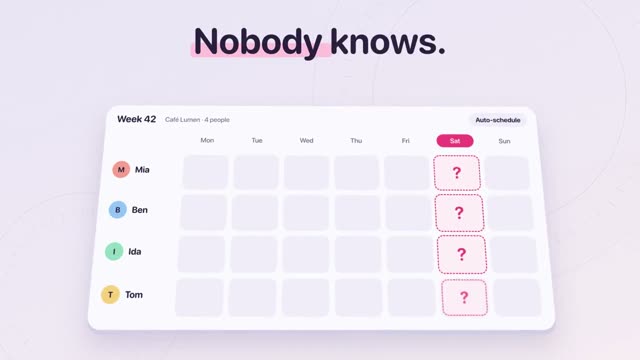
"Tandem" above shows what is possible: soft clay-like interfaces in a 3D world with a five-stop camera. Not one frame is painted; everything is described.
What motion design with AI can do today
- Kinetic typography that appears word by word and moves on the beat.
- Interfaces in motion for apps and software.
- 3D camera moves with depth and light.
- Transitions where one object becomes the next.
- Logo animations and intros in your colours.
How to build an animation from a prompt
# Tandem – 14.4-second product film for a shift-planning app, 16:9, soft clay UI in a 3D world with a five-stop camera ## 0. What you are building Build a friendly, bouncy product film for "Tandem", an invented shift-planning app for small teams (cafés, shops). The story: a group chat cannot answer "Who’s working Saturday?" – a calendar
another 15,201 wordsThis is only the start. Our prompts average around 15,500 words: every scene, every movement, every colour is described precisely. That is why your video really turns out like the example.
Get access nowPick a video
You see exactly what you will get.
Copy the prompt
One click. Structure, style and motion are already in there.
Create your own video
Change topic, style and scenes. No experience needed.
The workflow is always the same: pick a reference, copy the prompt, swap the content, generate in Claude, check, export. The prompt describes not only what is visible but also the timing. See How to write AI video prompts.
The ground rules of good motion design
- Nothing starts alone. Movements overlap slightly.
- Soft easing. Elements slow down instead of stopping hard.
- Hierarchy. The most important thing moves first.
- Calm. Give the eye short pauses to read.
- Consistency. Same motion for the same things.
Where the limits are
For character animation, live action with effects and very free illustration, classic tools or video models are often better. For everything with type, interfaces, shapes and brands, animation as code with AI is one of the fastest options today. More examples in the AI video prompt library.
A quick start for your first AI animation
- Pick a video in the library whose style you like.
- Change only the copy and colours for the first try.
- On the second try, change one scene completely.
- On the third, change the camera path or the format.
After three rounds you understand how the prompt controls timing, and you can start writing your own.
Frequently asked questions
What is the difference between motion design and motion graphics?
The terms are often used interchangeably. Motion graphics usually means animated graphics and type; motion design describes the whole craft of movement, timing and style.
Can AI replace After Effects?
For product videos, kinetic typography and social animations, largely yes. For complex compositing, character animation and live-action effects, After Effects stays strong.
Which AI is best for motion graphics?
For precise animations with text and interfaces, AI models that write code, above all Claude. Video models suit cinematic scenes better.