
A strong AI product video shows the real interface in motion, tells a small story with one object travelling through every scene and ends with name and benefit. With a precise prompt, Claude builds such a 10 to 15 second launch film without editing software.
If you sell software or an app, a product video is your strongest tool. It shows in seconds what screenshots cannot: how your product feels. Companies like Apple and Linear invest heavily in launch films. With AI you can create a product video in similar quality yourself.
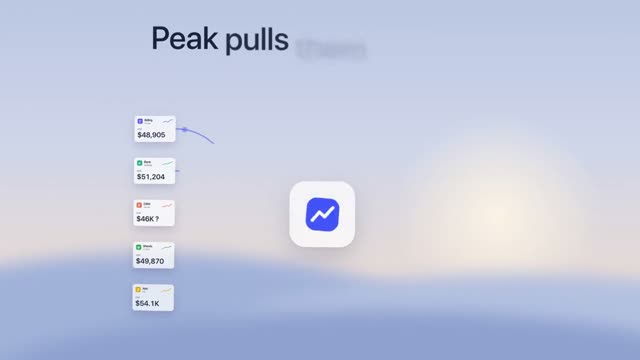
What a strong product video shows
- The interface in motion: cards building up, numbers counting, a click triggering something.
- A small story from problem to solution, carried by one object.
- One clear benefit in a sentence anyone understands.
- A calm look: few colours, lots of space, one accent.
"Peak" above is a 14-second product film for a subscription revenue dashboard: frosted-glass panels in front of a soft sky and a 3D camera gliding through the scenes. All of it is in the prompt.
How to create a product video with AI
- Find the one message someone should know after 10 seconds.
- Plan three to six scenes: hook, problem, two or three moments of the solution, ending with name and benefit.
- Pick a prompt with a matching style: light and friendly like "Nimbo", technical like "Flagwise" or spatial with a 3D camera like "Tandem".
- Insert your interface by describing it or letting Claude rebuild your screenshots.
- One format per channel: 16:9 for website and YouTube, 1:1 and 9:16 for social.
SaaS launch video rules
- No feature lists. Show one flow, not ten features.
- Real numbers. "Sent in 30 seconds" beats "fast".
- Motion with calm. Every scene needs a moment to read.
- The ending counts: name, one line of benefit, URL or call to action.
Examples from the library
For AI tools: "Linto" and "Rellio". For shops: "Parcelo" and "Fablo". For portrait apps: "Streako" and "Mapleo". All product films: AI video prompts.
A 12-second scene plan
- 0 to 2 s, hook: a question your customer knows, word by word.
- 2 to 4 s, problem: one element shows the pain, for example overdue invoices marked in red.
- 4 to 9 s, solution: your product in two or three moments, the same object travelling on and changing.
- 9 to 12 s, ending: logo, one line of benefit, let it hold.
That is exactly how the prompt for "Nimbo" works: an overdue invoice becomes a document, flies to the client as a paper dart, rides a reminder timeline and ends as "Paid".
Checklist for your product video
- The message fits in one sentence.
- The interface is readable.
- One common thread through every scene.
- One accent colour at most.
- The right format for each channel.
Frequently asked questions
What is a launch film?
A short video introducing a new product or feature, used on your website, Product Hunt, social media and customer emails.
Can I use real screenshots of my app?
Yes. You can describe the interface to Claude or have it rebuild your screens. Rebuilt interfaces often look calmer and sharper than screen recordings.
How many product video prompts are in the library?
The DrillUp library has more than 50 product film prompts, for invoicing tools, meeting apps, shops, planning apps and AI tools, each with an example video.