
An AI explainer video follows the structure problem, solution, process in three steps, result and call to action. With a precise prompt, Claude turns it into an animated video where every element appears at the right time. Short explainers of 15 to 45 seconds work especially well on websites and social media.
An explainer video has one job: make clear, quickly, what your product does and why it matters. Traditionally that takes a script, illustrations and After Effects. With AI it goes faster.
The structure that almost always works
- Problem (2 to 4 seconds): a situation your audience knows.
- Solution (2 to 3 seconds): your product in one sentence.
- Process (3 steps): more than three overwhelms.
- Result: ideally with a number.
- Call to action.
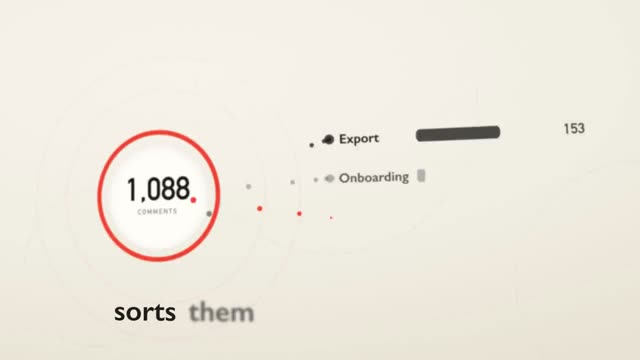
"Sift" above explains a feedback tool in under nine seconds: a camera flies past five places in a warm paper world, and each place shows one step. One place per step makes explainers easy to follow.
How to create an AI explainer video
- Script in bullet points, each line eight words at most.
- Decide the visual for each step: an interface, a symbol, an object that transforms.
- Start from a matching prompt in the library, for example "Scouta" or "Rellio".
- Insert your text and steps, keep timing and motion.
- Generate in Claude, check, export. Watch it once muted and once through a stranger's eyes.
Tips for clear explainers
- One object carries the story through every step.
- Calm camera, clear paths.
- Your customers' words, not your developers'.
- Let the ending breathe for one or two seconds.
Want to stage your product even more? Read SaaS launch video with AI.
Example: a 20-second script
- "Booking by phone? Chaos every day." (problem, 3 s)
- "Planly books for you." (solution, 2 s)
- "Customers pick a free slot." (step 1, 4 s)
- "Planly sends reminders automatically." (step 2, 4 s)
- "You see everything in one calendar." (step 3, 4 s)
- "30% fewer no-shows. planly.app" (result and call to action, 3 s)
Put this script into a prompt with stations, define colours and type, and Claude builds the video. The number in the last line must be true, otherwise leave it out.
Checklist before export
- Does it work without sound?
- Does every scene have exactly one message?
- No more than three steps?
- Is every line readable for at least two seconds?
- Is there a clear next step at the end?
Frequently asked questions
How long should an explainer video be?
As short as possible: 15 to 45 seconds for social media and landing pages, 60 to 90 seconds for a detailed explainer on your website.
Do I need a voice-over?
Not necessarily. Many explainers are watched muted. Large, readable text appearing on the beat carries the story; a voice can be added later.
Can I make an explainer video with AI for free?
With your own prompt and access to Claude it is possible. The effort is in the prompt; ready-made prompts save that work.